My old portfolio was a long page you scrolled down, like most people's.
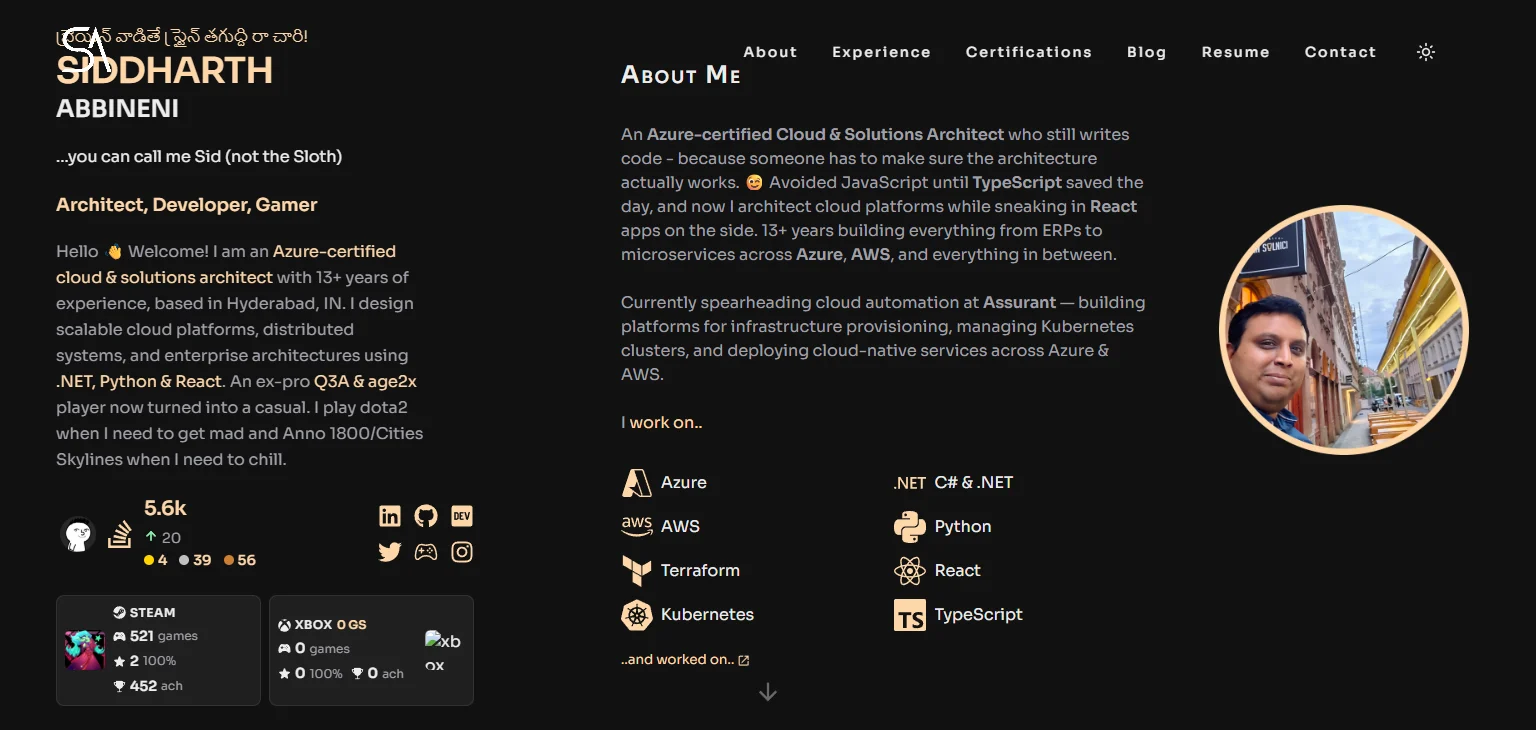
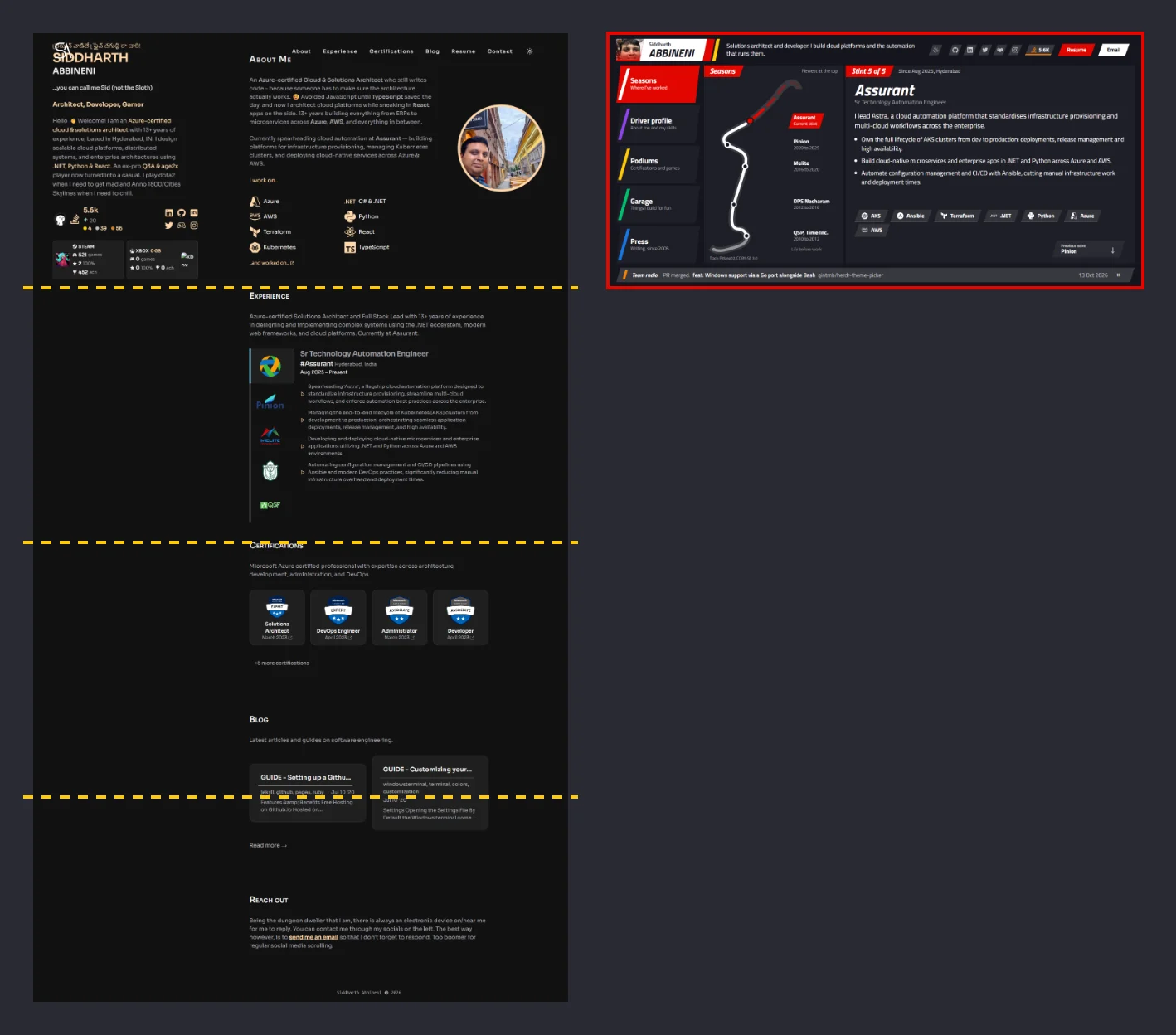
At that size the page is almost four screens tall. It had also broken quietly: the Xbox card said 0 games, next to a picture that no longer loaded.
I rebuilt it twice in a few days. The first rebuild was a gamer profile, and it didn't survive my own laptop. The second is the F1-style dashboard you're looking at now.
I built both with Claude Code running Opus. I decided what I wanted and Opus did most of the typing.
The player profile, and why it went
The first version was a character sheet: a character build, a campaign timeline for my jobs, and a trophy cabinet with certifications and live Xbox and Steam achievements. On my 1440p monitor it looked great.
Then I opened it on a 1080p laptop with Windows set to 125%. That leaves the browser about 1536×730 pixels, and the page turned into a wall of text.
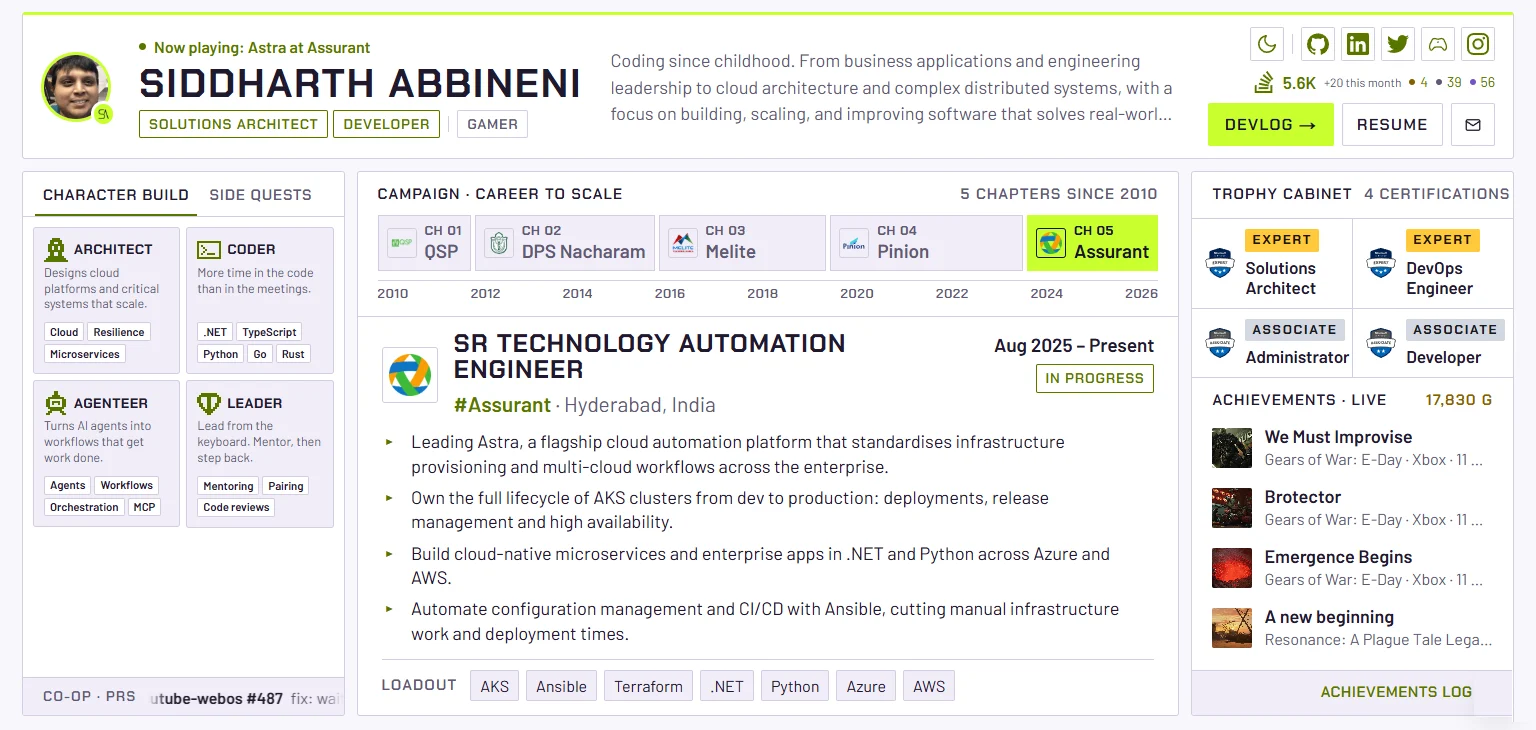
Three columns were all talking at once, and every panel was packed with small labels, chips and bullets. Nothing on the screen was more important than anything else. Making the text smaller to fit only made it worse.
Trying ideas before writing code
This time I didn't touch the code first. I asked Opus for rough screens of very different ideas: game menus, a magazine spread, a metro map, an F1 pit wall. I liked the metro map and the pit wall, so we mashed them together and drew my career as a line on the Nürburgring GP circuit.
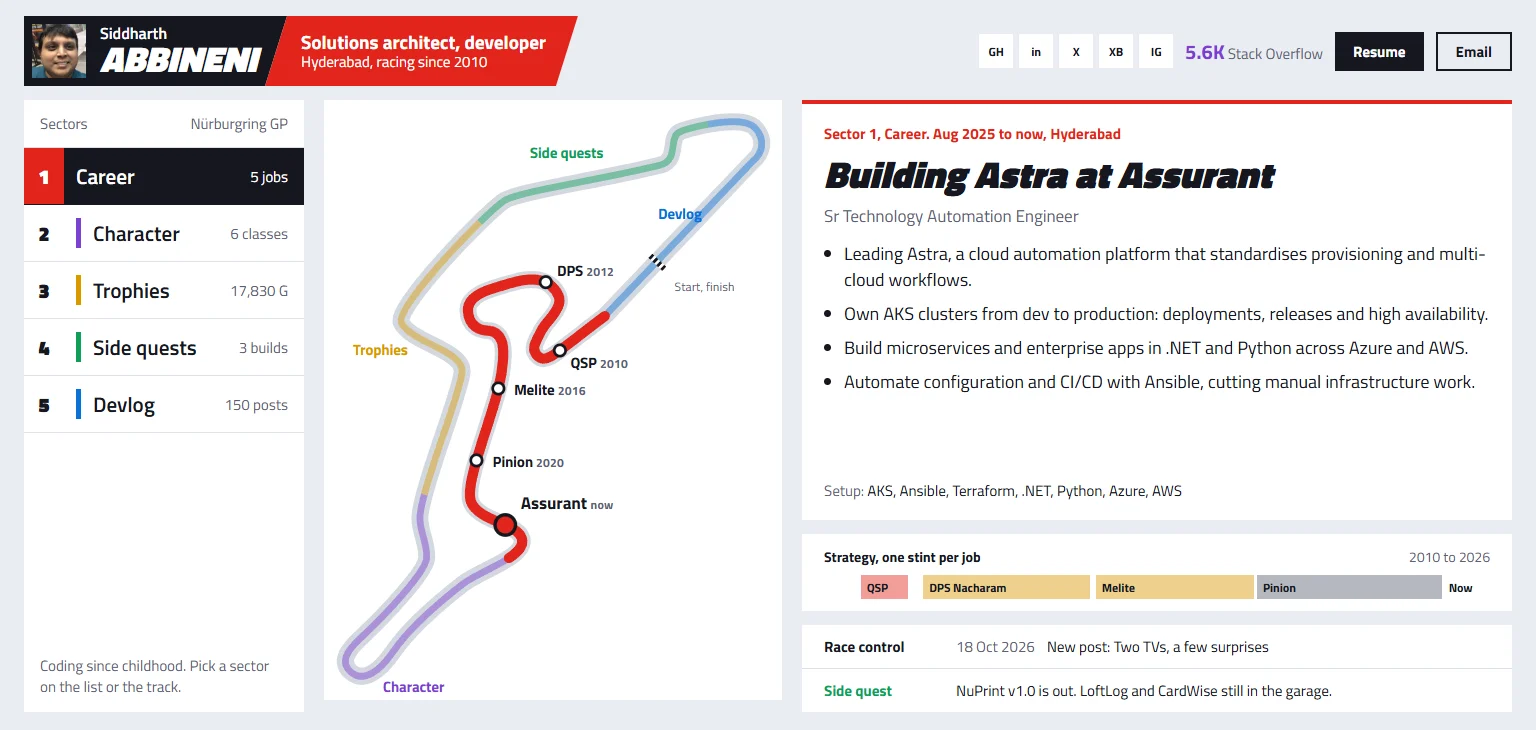
I got a second opinion on that concept, and it made two points I agreed with. The section menu shouldn't be part of the career track, and the track shouldn't be a closed lap with a finish line, because my career hasn't finished yet. So the route became an open stretch of the circuit with the road carrying on past my current job.
The F1 dashboard
Now the site shows one section at a time, with F1 names and a plain line under each: Seasons (where I've worked), Driver profile, Podiums, Garage and Press. It uses the real F1 colours, and every button, tab and card has the same slanted cut as the nameplate.
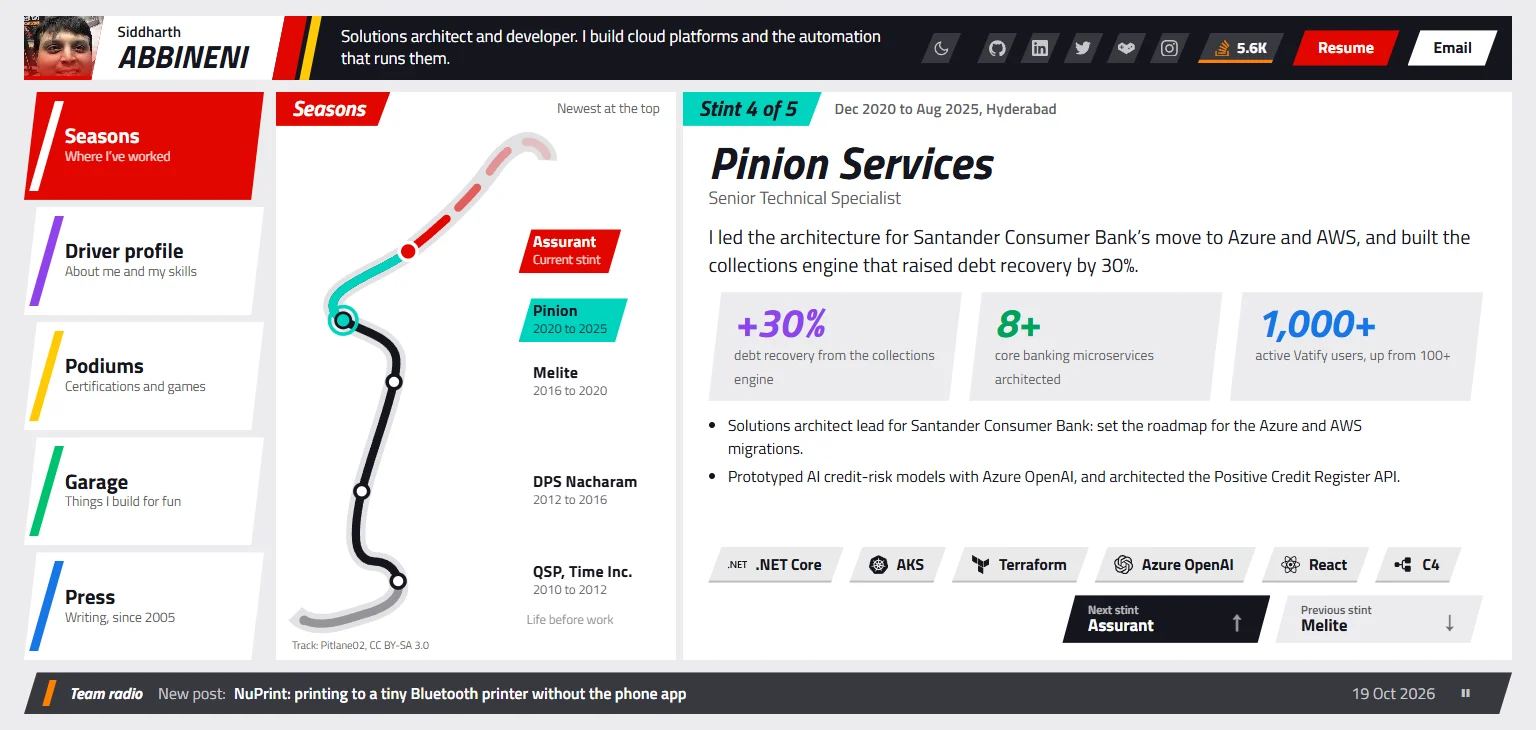
On the track, grey is life before work, black is work, and red is my current job and the road after it. When you pick an older job, it and the stretch up to the next job turn teal. One job shows at a time, with a short summary, up to three numbers, a few bullets and the tools I used with their logos. That's far less text than before.
The buttons for moving between jobs took two goes. At first "Earlier" sat on the right and disappeared on the oldest job, so "Later" slid under the mouse. Clicking Earlier a few times in a row took me back to the newest job. Now each button has its own fixed spot and keeps it, even when the other one is hidden.
The header copies a driver's TV graphic: the headshot sits on a red panel, with my first name small and my surname big, the way F1 shows "Max / VERSTAPPEN".
The Garage has my side projects, with my pull requests to other people's projects in a column that looks like a timing tower. One that hasn't been merged yet is marked "Under review", which is what the stewards say about an incident they haven't ruled on. The footer is a single "Team radio" line that flips between my two newest posts and two newest merged PRs.
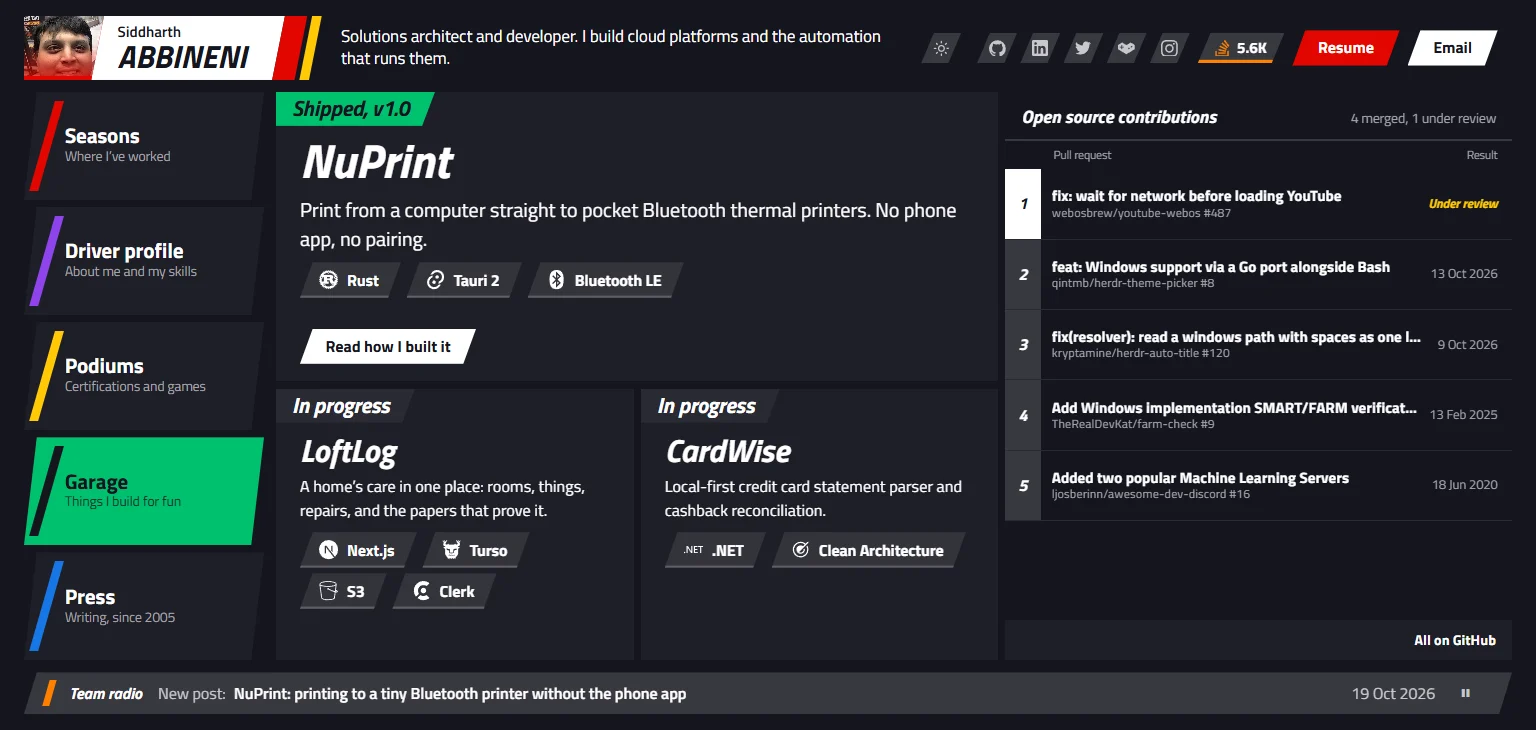
You can get around without the mouse. The keys 1 to 5 open a section, and ↑ and ↓ change job. On a desktop the page never scrolls, so the mouse wheel steps through the jobs and then on to the next section. The animations use Motion, the library that used to be Framer Motion.
I worried that the logos would make the site heavy, since Simple Icons has 3,466 of them. I checked the production build: only the 14 I use reach the browser, about 15 KB in all.
Fitting on one screen
The whole design is 96 by 45.6 rem, and one line of CSS sets the size of a rem:
html {
	font-size: min(100vw / 96, 100dvh / 45.625, 20px);
}
At 1536×730 that's 16px, and at 1920×1080 it's 20px, where it stops. On bigger screens the page sits in the middle of a dark backdrop with a faint outline of the circuit. Phones get a normal scrolling page with the newest job first.
I asked Opus for a Playwright script that opens every section at five laptop sizes, from 1280×600 to 1920×1080, and fails if anything scrolls or gets cut off. It checks all five jobs too, because each one has a different amount of text.
The track outline comes from Pitlane02's Nürburgring drawing on Wikimedia Commons (CC BY-SA 3.0), so there's a credit under the route.
Moving the blog home
My two posts lived on dev.to, and the site pulled them in through its API. Now they're markdown files in my repo. A new post is a commit, a draft gets a staging preview, and the pages are built ahead of time.
Next.js 16 with Cache Components surprised me a few times:
dynamicParamsisn't allowed any more. Unknown slugs callnotFound()instead.- With Partial Prefetching on, you have to read
paramsinside a<Suspense>boundary so the page can show its outline straight away. - Typed routes won't accept
`/blog/${slug}`for a plain string. A smallpostHref()helper fixed it in one place. - The standalone build doesn't copy files you read with
fs, so the posts folder has to go inoutputFileTracingIncludes. - Running
next buildwhilenext devwas still running confused the dev server, and every page started reloading itself about five times a second. Restarting it fixed that. - A
'use cache'function caches whatever it returns, failures included. My Xbox and Steam data is cached for six hours, so one rate-limited request would have emptied the Podiums section until the next refresh. Failures now callcacheLife('minutes')and get retried soon after.
Reading a long post inside the dashboard meant a lot of scrolling, so the reader got tighter. The text is a bit smaller, Older and Newer moved up into the tab row, and once the title scrolls away the tab row shows it, with a thin progress bar underneath.
Sharing a post
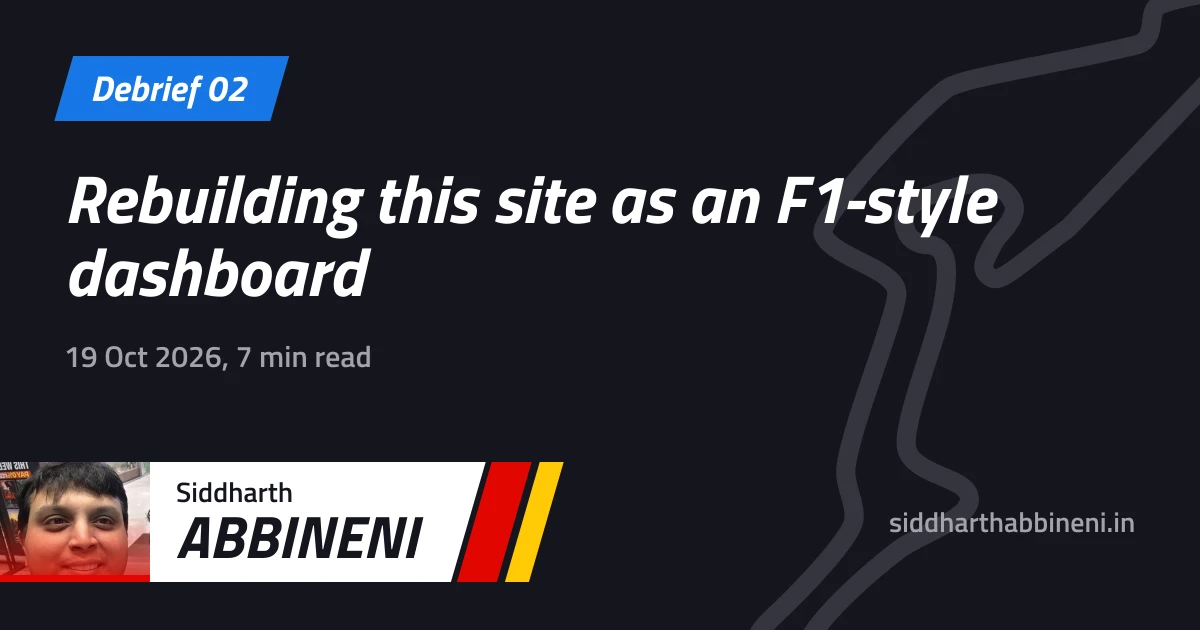
When I pasted a post link into LinkedIn, the preview had a title and no picture. Each post sets its own Open Graph tags, and those replaced the site-wide ones, image included. X was worse, showing the site's title instead of the post's.
Now every post gets its own card, made at build time with Next's opengraph-image files and next/og. It has the same tab, slashes and nameplate as the site. The fonts had to be TTF files, because the renderer behind next/og can't read the WOFF2 files the site uses.
Someone opening a shared link doesn't need the whole dashboard first. A post opened straight from a link now shows on its own, with my header, the post and a button to see the rest of the site. Moving around inside the site works as before. A small script picks the layout before the page paints, so the dashboard never flashes up first.
Digging up 2005
I had a blog long before dev.to. It started on Blogger, moved to WordPress on thesid.net, and died when my hosting ran out while I was moving countries. Luckily the Wayback Machine had saved it.
Its API lists every address it saved for a domain. For my two old domains that was about 1,300 addresses, and most were junk: client sites I used to host, and the crawler going round in circles. After removing duplicates I had 145 posts. Opus wrote a scraper that fetched them slowly, then a second script went looking for the images. Most image hosts from 2006 are gone (RIP echo.cx and ImageShack), so some pictures are lost for good.
I kept the posts exactly as I wrote them, typos and all. They're under Past seasons in Press now, each labelled with its year. Reading 2006 me go on about BSNL and the new Iron Maiden album made the whole thing worth it.
What I'd tell myself
- Look at your site on the laptop people actually use, at the scaling they actually use.
- Draw the screens before writing code. Throwing away a mockup takes seconds.
- Less text on screen beats smaller text.
- Keep your writing somewhere you own.